Understanding User Interface Icons
User Interface Icons are graphical elements that help users navigate and interact with digital interfaces. These icons play a crucial role in enhancing the user experience by providing visual cues that are intuitive and easy to understand.
Main Purpose and Characteristics
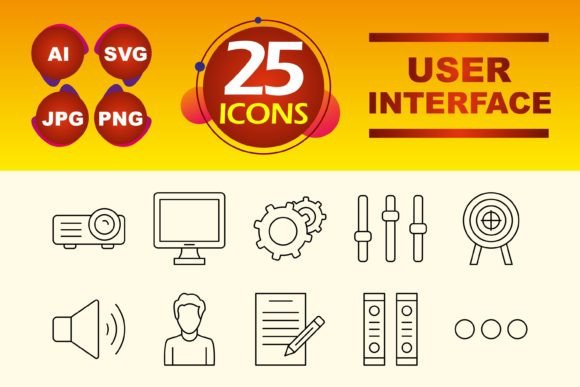
The primary purpose of User Interface Icons is to simplify and speed up the interaction between users and digital platforms. They are designed to be universally recognizable, making them an essential tool for designers and developers. This set specifically includes 10 Line Icons, which are minimalist and stylish, perfect for modern and clean designs.
Why Use User Interface Icons?
Incorporating these icons into your projects can significantly improve usability and aesthetics. They help in reducing cognitive load, as users can quickly identify and understand the function associated with each icon. This is particularly beneficial in mobile apps where screen space is limited, and clear, concise communication is key.
Versatile Applications
This set of User Interface Icons can be used across various platforms and contexts:
- Mobile Apps: Enhance the app's navigation and functionality with these sleek and modern icons.
- Websites: Improve the user experience on web pages by adding intuitive and visually appealing icons.
- Presentation Templates: Add a professional touch to your presentations with these clean and stylish icons.
- Infographics: Make your infographics more engaging and easier to read by using these icons to highlight key points.
- User Interface Design Templates: Create cohesive and user-friendly design templates with the help of these versatile icons.
File Types and Compatibility
To ensure maximum flexibility and compatibility, this set comes in multiple file formats:
- .AI (Adobe Illustrator): Ideal for editing and customizing the icons using vector graphics software.
- .JPG: Suitable for web use and quick integration into documents or presentations.
- .PNG: Offers transparency, making it perfect for overlaying on different backgrounds without losing quality.
- .SVG (Scalable Vector Graphics): Provides high-quality scalability, ideal for responsive designs and high-resolution displays.
Practical Considerations
When choosing and using User Interface Icons, consider the following:
- Consistency: Maintain a consistent style throughout your project to avoid confusion and enhance the overall look and feel.
- Clarity: Ensure that the icons are easily recognizable and clearly convey their intended meaning.
- Customization: Utilize the .AI format to customize the icons to better fit your brand and design requirements.
- Accessibility: Consider the accessibility of the icons, ensuring they are large enough and have adequate contrast for all users, including those with visual impairments.
Conclusion
User Interface Icons are a powerful tool for improving the user experience and the aesthetic appeal of your digital projects. Whether you're designing a mobile app, a website, or a presentation, these 10 Line Icons offer a versatile and stylish solution. By considering consistency, clarity, customization, and accessibility, you can effectively integrate these icons into your work, making it more user-friendly and visually appealing.